If you need help with technical problems, like resetting your password or if your account is locked, you must contact Neighborly Help Support.
PLEASE NOTE: The MSFH Support Team cannot fix technical issues for Neighborly accounts. If you are locked out or need to reset a password, you must contact Neighborly Help Support. When the Neighborly Help Support Team emails you, it will come from "support@neighborlysoftware.com."
Here is how to reach Neighborly Help Support:
- Open the Applicant Portal login page: My Safe Florida Home Applicant Portal.
- On the login page, look at the bottom right corner and click "Technical Support."
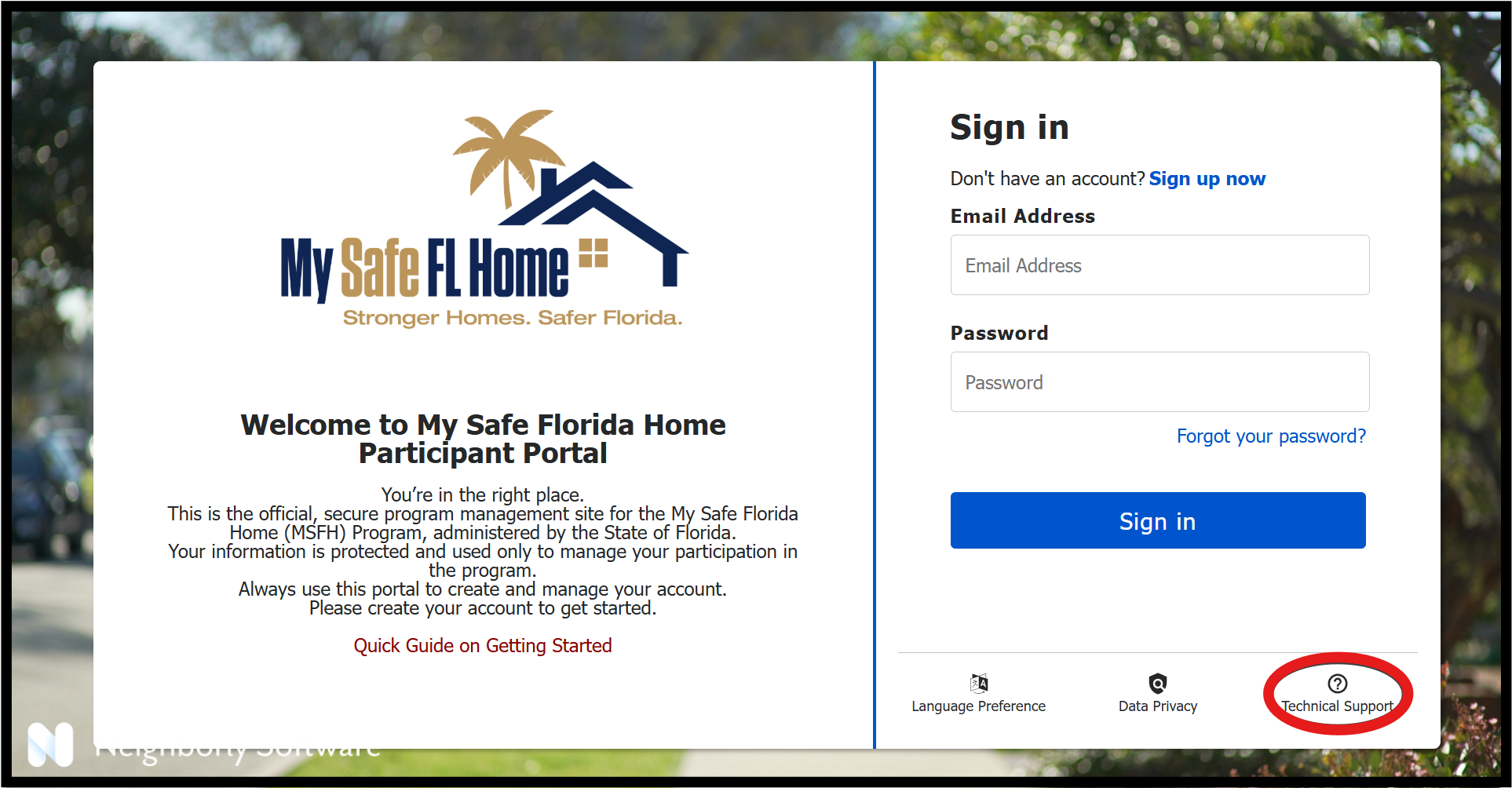
- Once you click on the "Technical Support" button, a small box will pop-up with different help options.
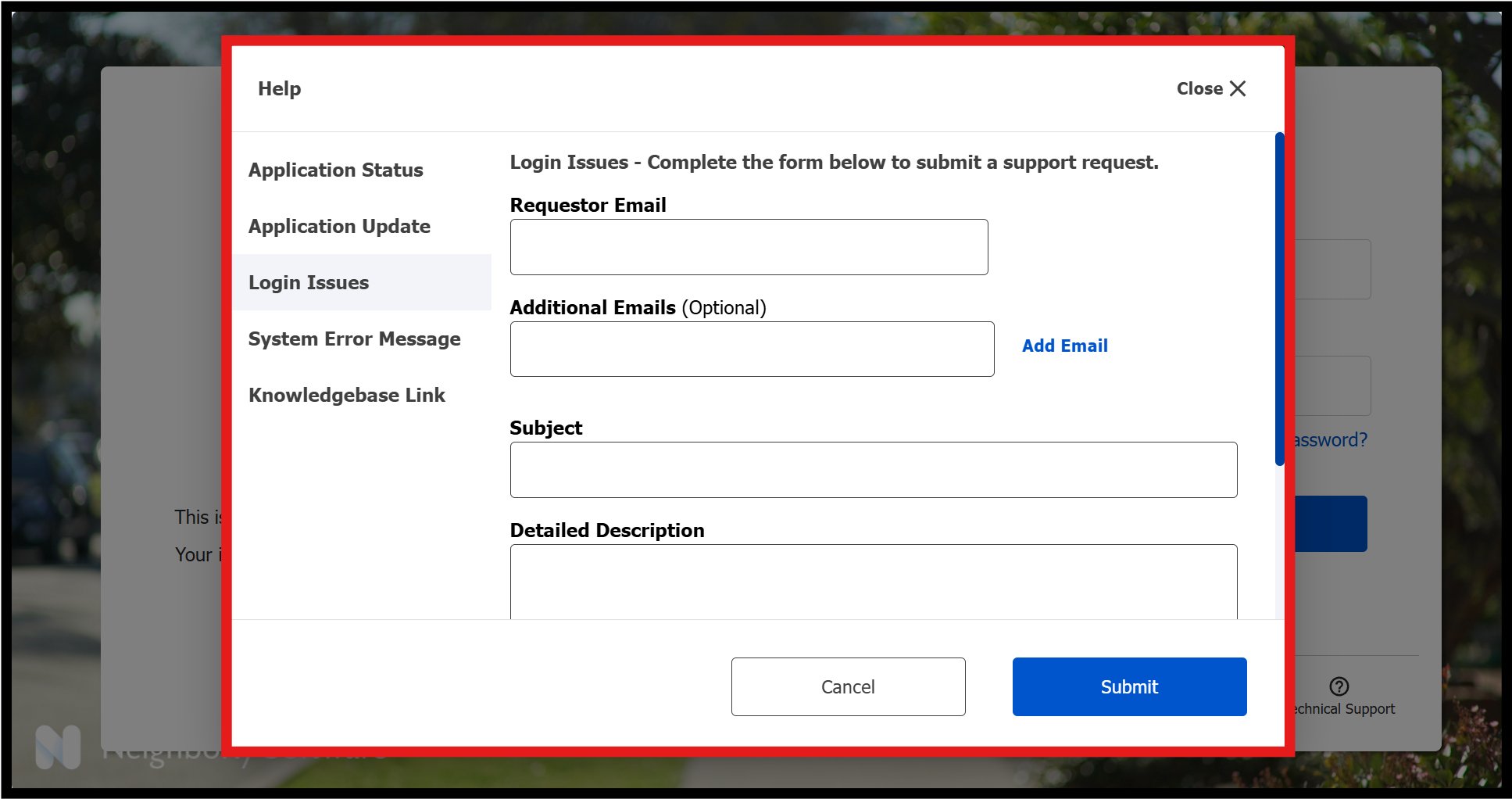
- Choose the option that best matches your issue. From there, you can read helpful information and complete any necessary forms.
Example:
If you cannot log in or need to reset your password:
- Click “Technical Support.”
- When the box pops up, choose “Login Issues.”
- Fill out the form.
- Click the blue “Submit” button.
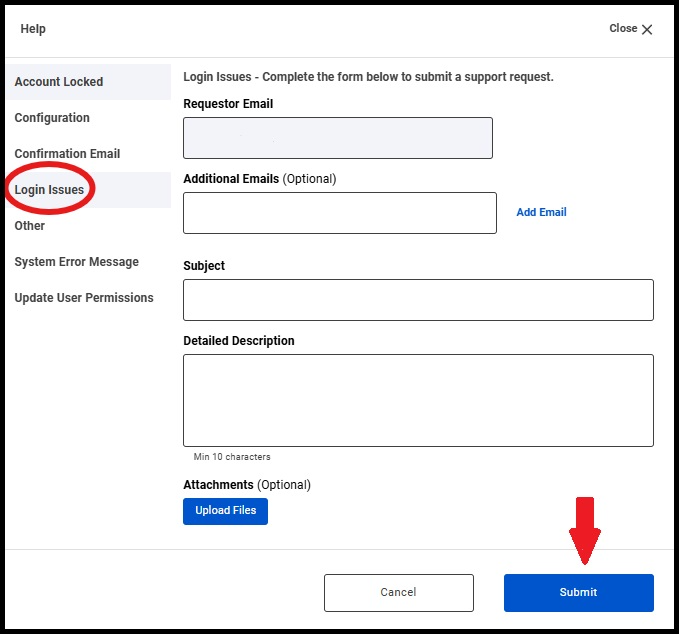
After you submit the form, someone from Neighborly Help Support will email you soon with next steps.
Was this article helpful?
That’s Great!
Thank you for your feedback
Sorry! We couldn't be helpful
Thank you for your feedback
Feedback sent
We appreciate your effort and will try to fix the article