If this is your first time applying and you have not had an Initial Inspection yet, you will need to create a new case in the Applicant Portal (Neighborly). If you already had a case but never submitted an Inspection Application, your old case will disappear, and you will need to create a new case.
If you had an Initial Inspection before August 4, 2025, you do not need to start over. Please do not create a new case. Keep using the case you already started in the Applicant Portal.
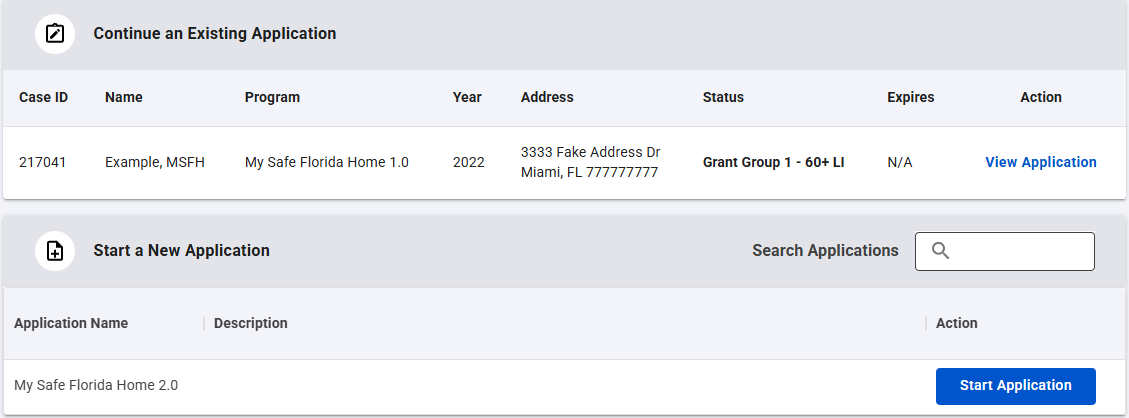
To get to your case, log into the Applicant Portal and click the “View Application” or "Start Application" button. Be sure to check your case often. There may be actions you need to complete so your case can keep moving forward.
Example from Applicant Portal:
Eligibility under the MSFH Program is not transferable to any subsequent owner of the submitted property; a new Homeowner may only participate by submitting a new application.
Was this article helpful?
That’s Great!
Thank you for your feedback
Sorry! We couldn't be helpful
Thank you for your feedback
Feedback sent
We appreciate your effort and will try to fix the article