If your case status is "Indicate Interest in Grant Application" you must re-enter the Applicant Portal and complete your next step. The Applicant Portal (Neighborly) can be accessed online using the following link: Applicant Portal Login Page
Example of Welcome Page in Applicant Portal:

You will be asked to confirm that you have reviewed the Initial Inspection Report. This document was emailed to you directly from the Inspection Company, otherwise called Wind Certification Entity (WCE). Now, you will have the opportunity to choose whether to move forward with a Grant Application.
If choosing to proceed with a Grant Application, Applicants will be sorted into a Grant Group to access the Grant Application, subject to legislative appropriation and available funds. If funding is not available, or if the group is not currently allowed to apply, Applicants will receive access to the Grant Application when or if it becomes available.
Example of Grant Indication of Interest Step in Applicant Portal 2.0:
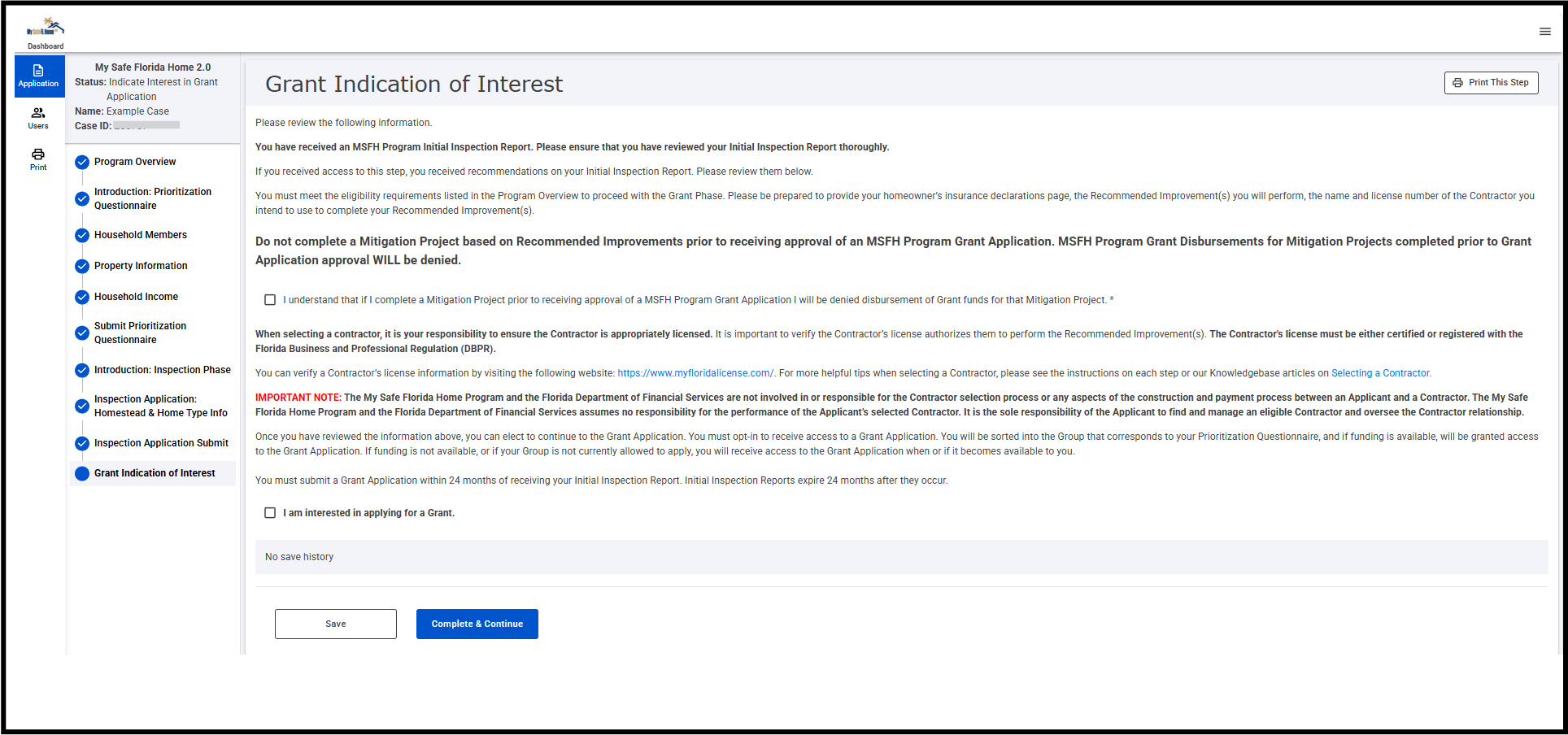
In the Grant Application, Applicants must be prepared to provide a current homeowner’s insurance declarations page, the Recommended Improvement(s) intended to be performed, and the name and license number of the Contractor intended to be used to complete the Recommended Improvement(s). You don’t need this information yet to complete the “Grant Indication of Interest” step. But it’s a good idea to start gathering it now, because you’ll need it soon.
PLEASE NOTE: Do not complete any work based on Recommended Improvement(s) prior to receiving approval on a Grant Application. Funding for projects completed prior to approval of a Grant Application WILL be denied.
Was this article helpful?
That’s Great!
Thank you for your feedback
Sorry! We couldn't be helpful
Thank you for your feedback
Feedback sent
We appreciate your effort and will try to fix the article