While in the status "Indicate Interest in Grant Application," cases may also have a Task Notification appearing on the case. This task will appear on your dashboard and in the “Tasks” section to the left of your screen.
This is a helpful reminder that you must alert the Program that you are interested in moving forward with a Grant, in order to access the Grant Application. Completing this task by the due date on this notification is a suggestion, not a requirement. The Program cannot guarantee that funding will still be available if you delay.
Example of "Active" Task Notification in Applicant Portal:
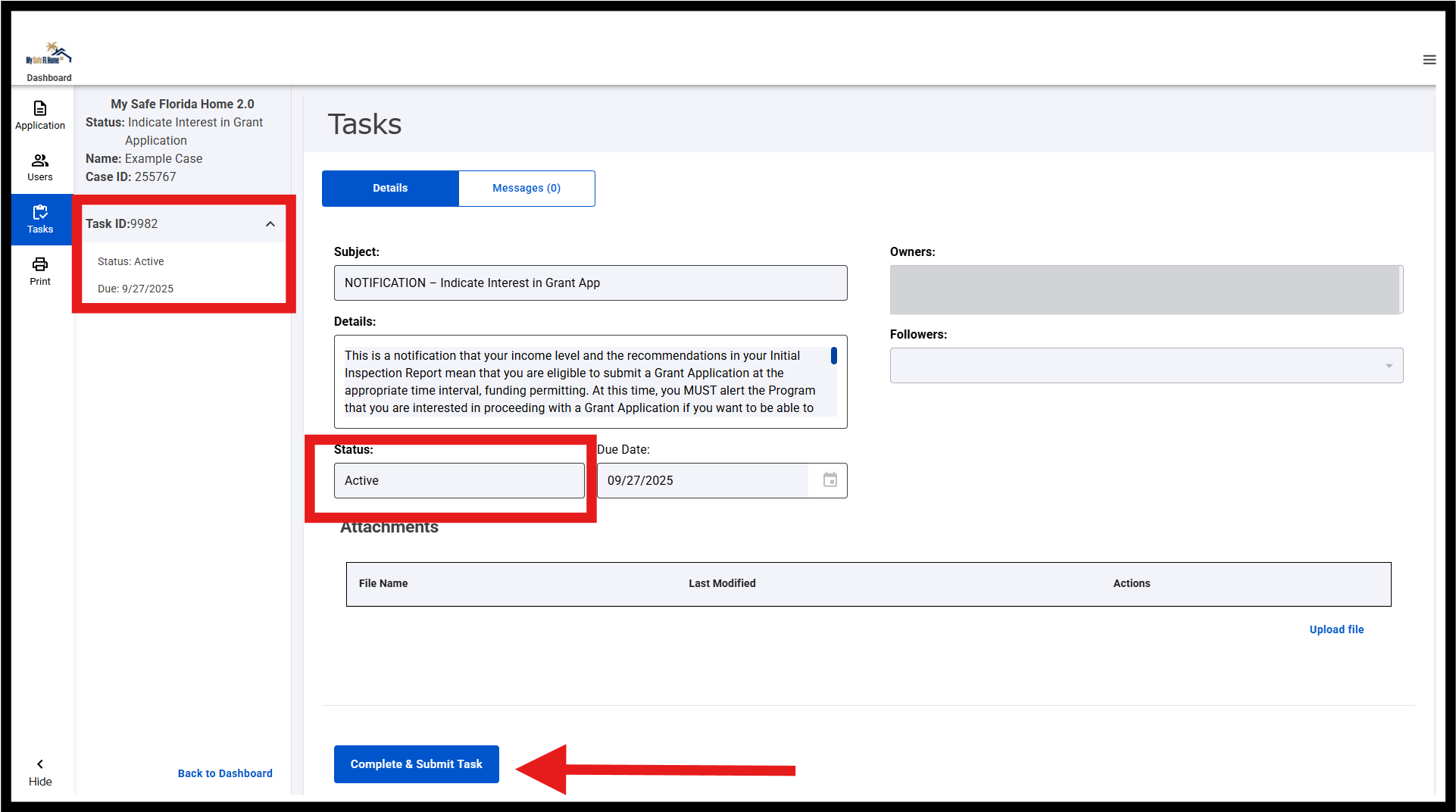
Even if you complete the "Grant Indication of Interest" step, if you do not go into the "Tasks" section and additionally mark the task as complete, you will continue to receive system reminders.
Steps to mark the "Task" as complete:
1. Read and complete the "Grant Indication of Interest" step on the Application.
2. Refresh your screen to see your status change to "Pending Grant Group Sorting".
3. Go to the left side of your screen and open the "Tasks" section.
4. Click the blue button titled "Complete & Submit Task".
5. Click "Continue" to move forward.
After clicking continue, a green pop-up will briefly display saying task is complete. The task will now show as complete.
Example of "Complete" Task Notification in Applicant Portal:
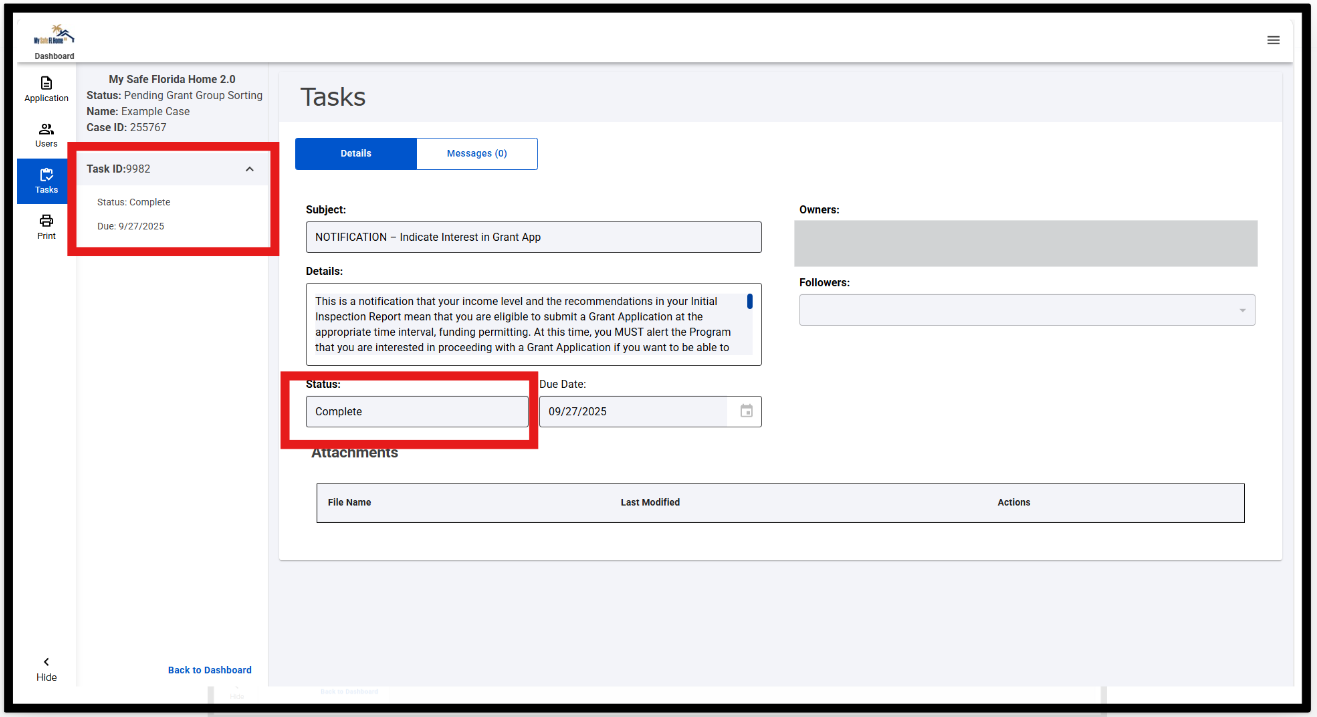
If you complete this task in error, it has no negative impact on your case status or Application in the system. You can always return to view the information provided from completed tasks in the “My Tasks” section.
Was this article helpful?
That’s Great!
Thank you for your feedback
Sorry! We couldn't be helpful
Thank you for your feedback
Feedback sent
We appreciate your effort and will try to fix the article