Homeowners can print any current or previously completed application steps from the Applicant Portal.
Steps to print:
- Log in to the Applicant Portal.
- Select View Application to open your case.

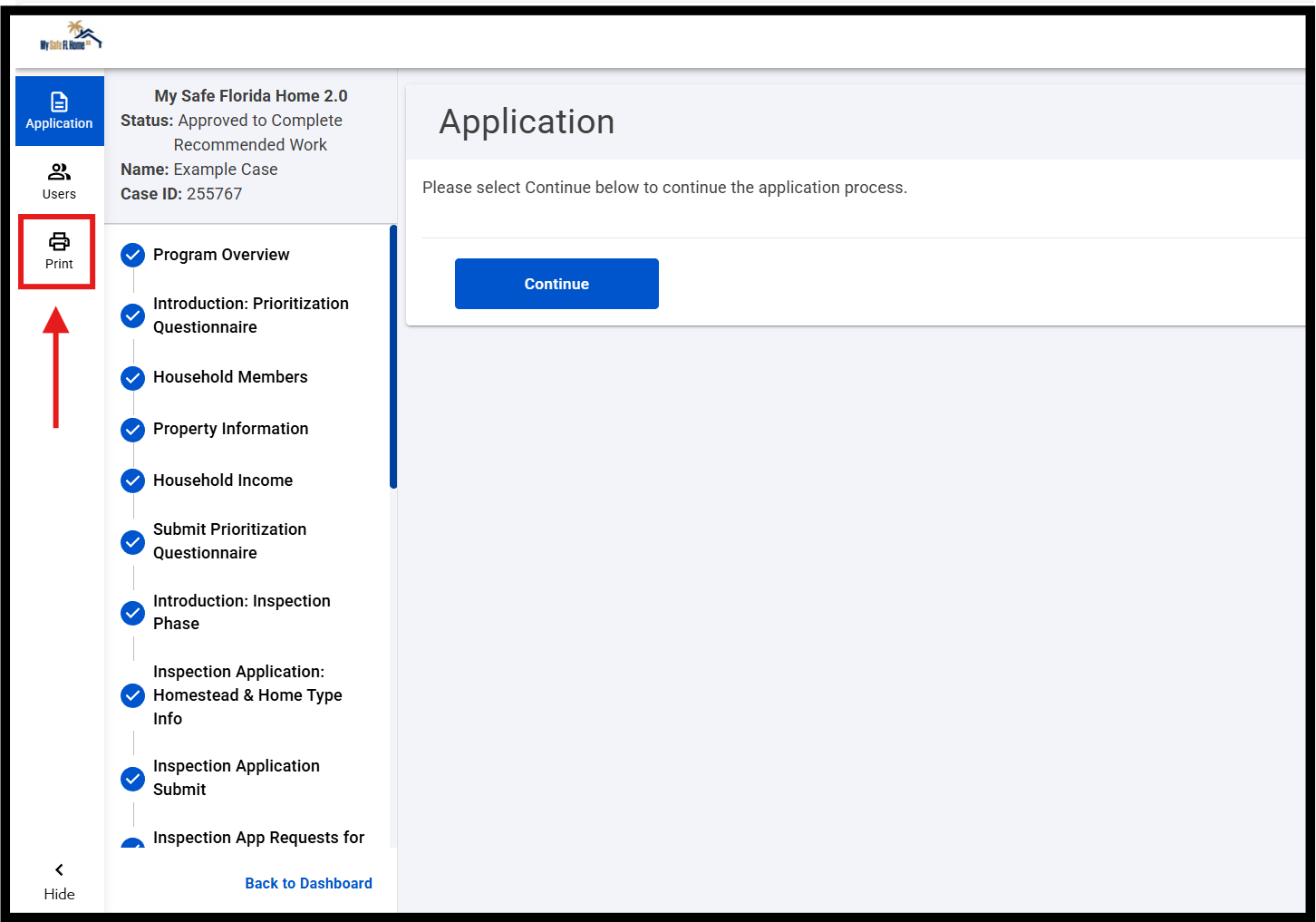
3. Click Print on the left side of the screen.
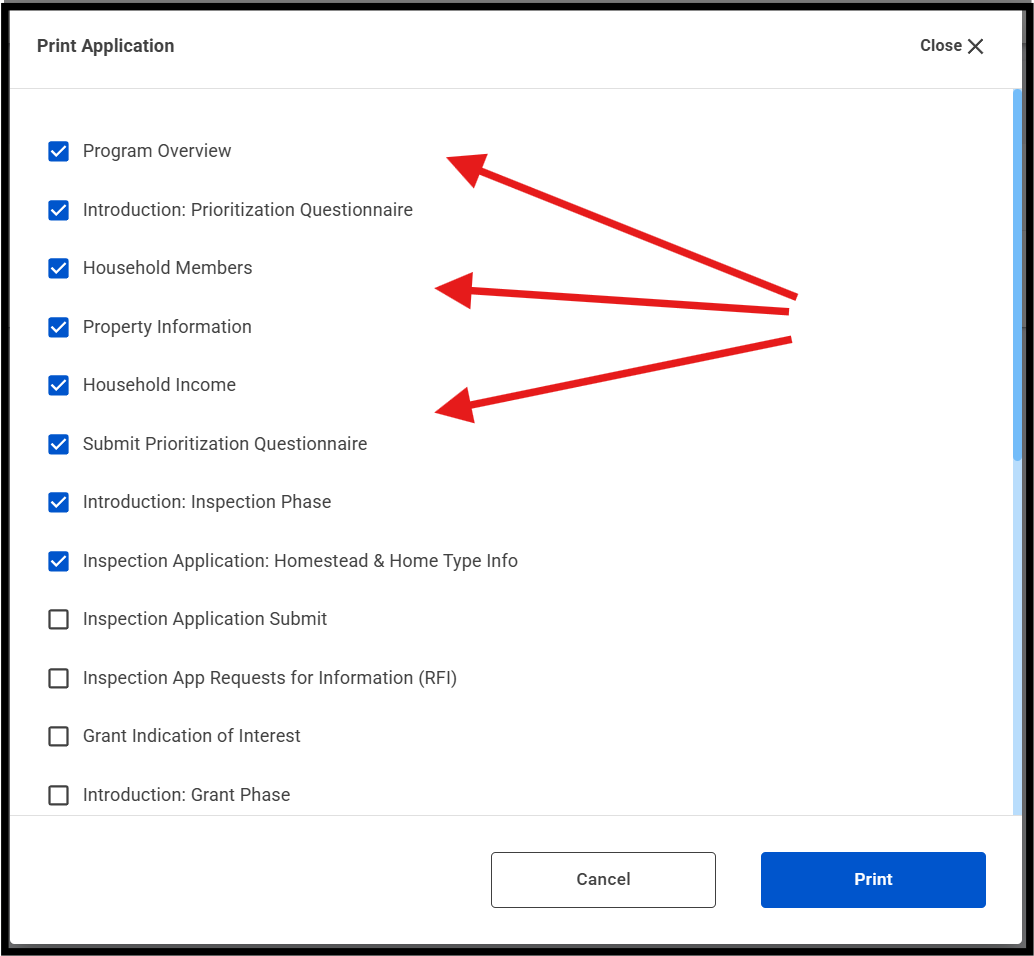
4. In the pop-up window, check the steps you want to print.
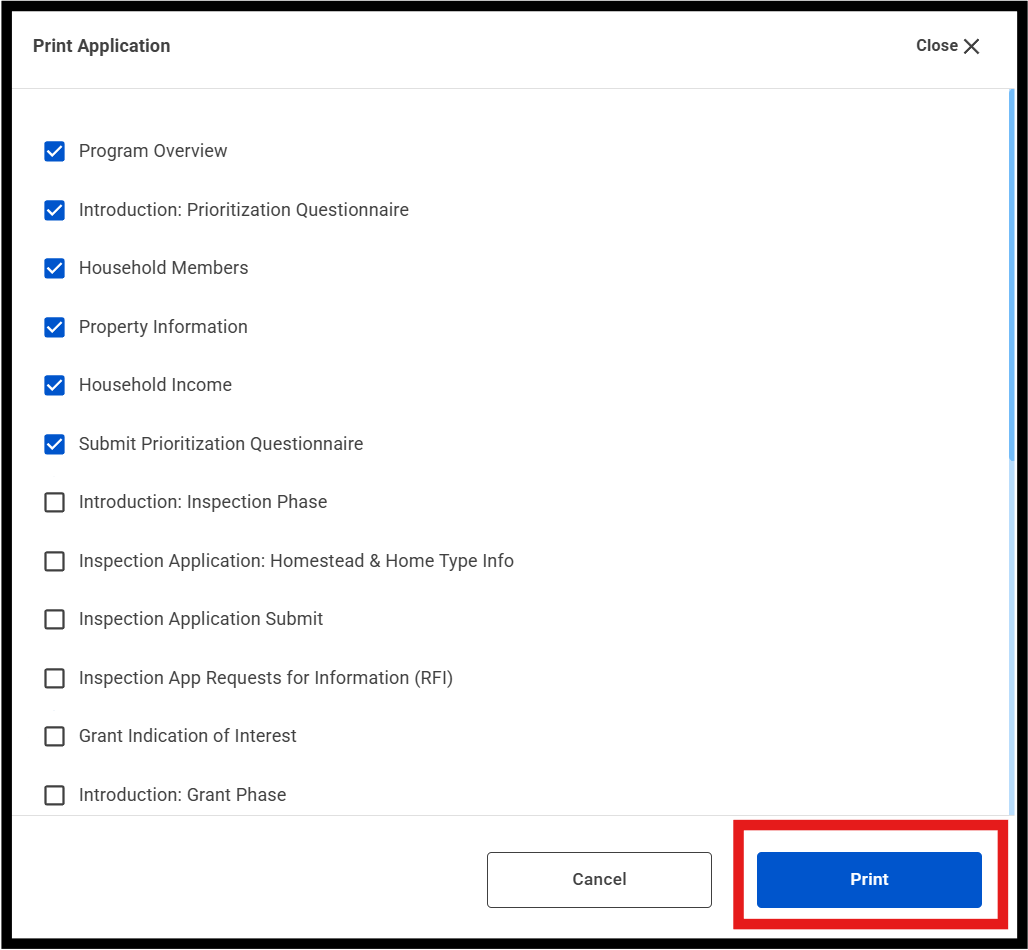
5. Click the blue Print button at the bottom.
6. Your computer’s print settings will appear. Choose your printer and complete the process.
Was this article helpful?
That’s Great!
Thank you for your feedback
Sorry! We couldn't be helpful
Thank you for your feedback
Feedback sent
We appreciate your effort and will try to fix the article